

Taking Over a Custom Application
Taking over a custom application can be harder than building one from scratch. You’re inheriting software that’s already running the business, shaped by years of decisions, shortcuts, and assumptions—many of which are no longer written down or fully understood.
When we step into this situation—whether for technical due diligence or to support a new CEO or leadership team—the goal isn’t to immediately change the system. It’s to understand the business processes that the system supports, where it’s working well, and where it’s breaking down.
This checklist describes how you can quickly build a clear picture of what exists today, where the real risks are, and what your team needs to know before making major decisions.
Draw an application ecosystem overview diagram.
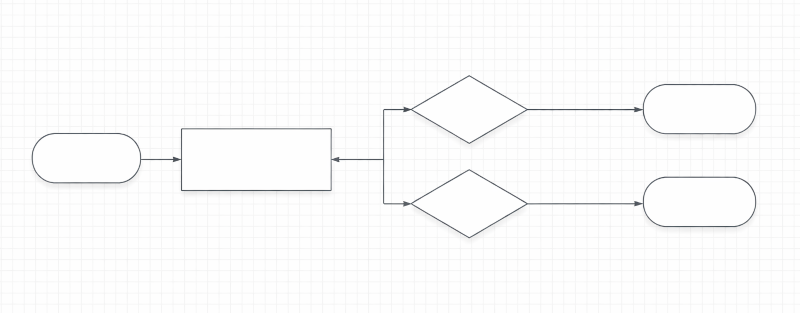
This does not need to be fancy. Draw what makes sense to you.
This is a one-page map of all applications, business processes, data, etc.
Use boxes and lines. You can do this on a whiteboard or using software. It doesn’t need to be pretty, and you’ll be updating it over time.
Anytime information flows between systems, people, etc., draw a line and label what information is being handed off.
Highlight anywhere things slow down or go wrong; these areas of friction will be your focus next.
Note quirks and risks. You can use sticky notes, scribbled notes, etc.
Why it matters: This shows the backbone of operations and where complexity slows things down.
Make a list of all roles and responsibilities.
Capture who owns what information and processes and which decisions happen where.
Note pain points by role (training gaps, rework, stalled approvals). Team members will usually be quick to tell you what parts of their jobs are the most painful and frustrating.
Why it matters: Starting to clearly document which people and processes are responsible for parts of your operation reduces confusion and keeps work moving.
Capture the current-state of all business workflows.
Each arrow in your first diagram will generally represent some workflow or process in your business. It’s time to dive deeper into them.
Capture the real (not ideal) state: Trigger -> Steps -> Decisions -> Outputs
Trigger: What causes this process to happen? It could be a scheduled event, a call from a client, a new sale, etc.
Steps: Who does what in response to this trigger? You may want to draw out another diagram here.
Decisions: Where does it stop being a set of well-defined steps and where does a person need to apply their own decision-making?
Outputs: Who is informed? What other processes kick off? What data is shared/preserved? Capture everything that comes out of this process.
Where is your software supporting this workflow? Where is it happening manually, on paper, or in other systems?
Look for pain points at this level as well.
Why it matters: Digging into these workflows will expose inefficiencies and manual work that eat time and margin. It will also identify places where your software should be helping but where it’s failing.
Review all of the pain points you’ve identified.
Organize all of the tasks, bottlenecks, data inconsistencies and errors, redundant steps, etc. that you’ve identified through this process.
Rank them in terms of importance to the business and your current understanding of the difficulty of improving (not necessarily completely fixing) them.
Look for low difficulty, high impact improvements to start with.
Why it matters: You generally want to focus improvement where it matters the most and can make impacts quickly.
Determine your priorities.
Decide what is most important to your business now. Are there things you absolutely don’t want to change at this moment due to other risks or complications?
Determine if there are key timelines you have to hit. Sometimes you have to go with a “good enough” solution to keep business moving and that’s ok.
Why it matters: Nothing you do happens in a vacuum and process and technology improvements have to align with the real world needs of your business.
Design your future-state processes.
For your highest priority changes, redesign your diagrams to describe how you think your processes should work.
Identify what investments can improve the process/workflow. This can be in your custom software, in commercial tools you use, or just in process improvements in how your people work.
Whenever it’s possible to improve a process without custom software it’s usually worth doing so. Software development is expensive and we can often avoid it completely by changing how people work. Even when we can’t, we never want to automate a bad process with software.
Design the user experience (UX) and data flows that your software needs. This could be enhancements to the current software or a whole new product.
How to make that decision between updating or rewriting is a combination of art and science that’s beyond the scope of this article. If you’re facing this decision, we’d love to talk it through with you.
Break down the work into a smaller, concrete set of next steps. We recommend planning in 90-day cycles (what EOS calls quarterly rocks) and then breaking that down into even smaller “sprints” of work in agile software development.
Why it matters: You’ll never have enough time and resources to do everything all at once. It’s much more important to execute well on a small number of things than to do a lot of things poorly.
Execute.
Then execute. The hard part is done but, unfortunately, now comes the hard part. Thankfully, if you’ve gone through the checklist above the work won’t be overwhelming. Small, specific, achievable next steps allow your team to build momentum and get results quickly.
If you need help with any of this, it’s what we do. We’d love to help you succeed.